Private service operated by 1a Visum Service oHG, Germany. Not a government website or affiliated with Thailand’s Ministry of Foreign Affairs.
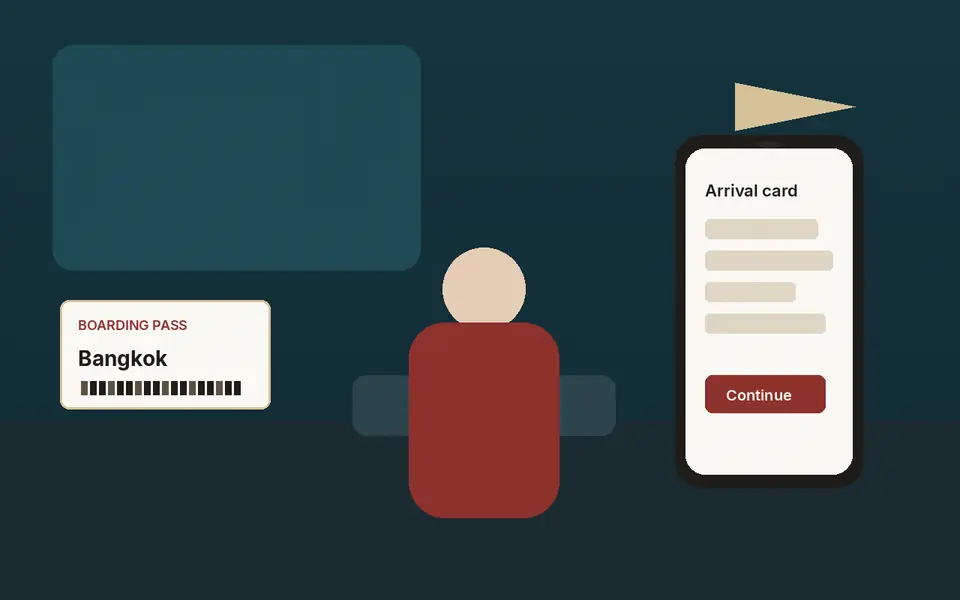
The Thailand Digital Arrival Card is short, free and usually done in a few minutes. Even so, almost every traveller hesitates at least once while filling it in. What counts as an occupation for a ten-year-old? Is the boarding country the place where your journey began, or the airport of your connecting flight? Do you list every hotel on a two-week island-hopping trip? This guide walks through the official form in the order in which it appears on screen and explains what each field expects, with notes from the official user guide and from travellers who have been through it.
If you want the overview first, including who needs a TDAC and why it is not a visa, start with our main guide to the Thailand Digital Arrival Card. Everything below assumes you are about to open the form.
Checked on 21 Nov 2026 against the official TDAC user guide and FAQ (tdac.immigration.go.th, user guide version 1.20 for app version 2026.11.00) and the German Foreign Office's Thailand travel advice.
What should you have ready before you open the TDAC form?
The single most useful tip comes straight from the Immigration Bureau's FAQ: you cannot save your progress and finish later. If the page times out while you search for your hotel address, you start again. It therefore pays to collect everything before you begin. You will need your passport, your flight number and arrival date, the full address of your first accommodation in Thailand, the list of countries you have stayed in during the two weeks before arrival, and an email address to which the confirmation can be sent.
The form must be completed in English, using Latin letters. The official guide also points out a small time-saver: in dropdown fields you can type the first three characters, and the system suggests matching entries.
Timing matters as well. You can only submit within the three days before your arrival, counting the arrival day itself. If the website refuses an otherwise correct form, an early attempt is the most likely reason. Our planned article on when to submit the TDAC works through examples with overnight flights and stopovers.
Finally, use the official site, tdac.immigration.go.th, and nothing else. The official service is free. Look-alike pages that charge a fee for "processing" are not required and are not faster.
How do you start the form and use the passport scan?
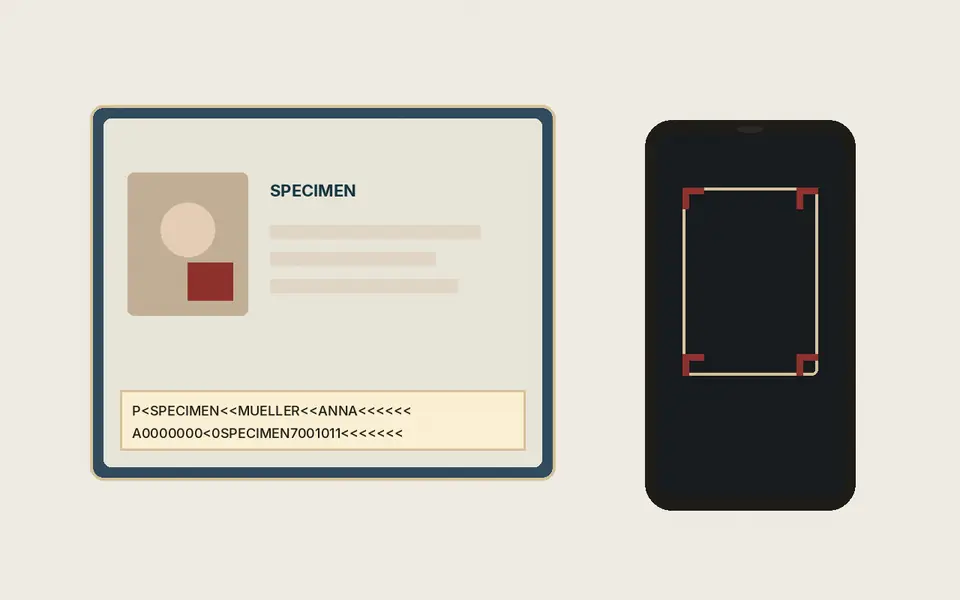
On the home page, choose "Arrival Card". The first step, "Personal Information In Passport", offers a button labelled "Retrieve with Passport". You can either scan the machine-readable zone of your passport with your phone's camera or upload a photo of the data page from your device. The two lines of letters, numbers and angle brackets at the bottom of the page are what the system reads. Make sure they sit inside the scanning frame and the passport is upright, otherwise the scan fails or, worse, reads a character wrongly. The official guide asks users to recheck the data every time it is retrieved from the MRZ, and that advice is worth following, because a wrongly read letter in your name cannot be corrected later.
How do you enter your name if you have no family name or several first names?
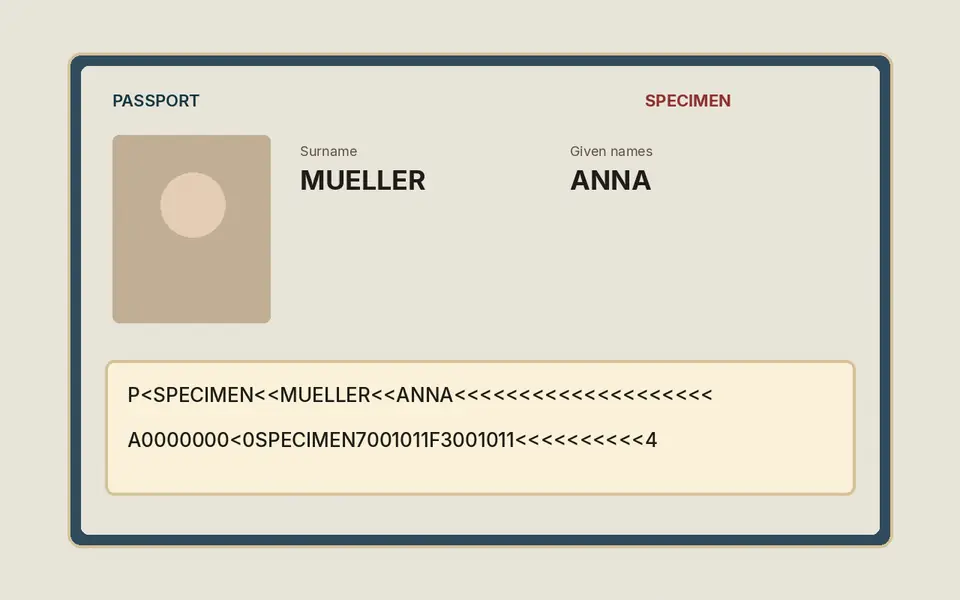
The form has three name fields: Family Name, First Name and Middle Name. Copy them exactly as they appear in your passport, without accents or umlauts. Only the letters A to Z are accepted. A German "Müller" becomes "MUELLER" if that is how the machine-readable zone of your passport spells it, so the MRZ is the most reliable reference.
If your passport shows no family name, which is common for travellers from some South and Southeast Asian countries, the form tells you to enter a dash. Middle names are optional. If you have two first names, it is generally safest to reproduce the order shown in the passport, either by putting both in the first-name field or by using the middle-name field for the second one. What matters most is that the combination matches your passport and your airline booking.
Take particular care with this step. The full name is one of the details that cannot be changed later with the "Update Arrival Card" function. If it is wrong, you must submit a new TDAC.
Which personal details does the TDAC ask for, and what do you write as occupation?
After the passport data, the form asks for your nationality, date of birth, gender, occupation, country or territory of residence, city or state of residence, phone number and, if you have one, a visa number.
Occupation is the field that generates the most questions online. It is a free-text field, and a plain job title in English is enough: "ENGINEER", "TEACHER", "NURSE", "SELF-EMPLOYED" or "RETIRED". You do not need to name your employer. Children are not left out, because the field is required for every traveller. For school-age children "STUDENT" is the usual entry, while for babies and toddlers many parents write "CHILD" or "INFANT". Travellers between jobs can simply write "UNEMPLOYED".
The city or state of residence is where you live, not where you were born. Some travellers from Germany and Austria have reported "invalid data" messages for region names with special characters, and while hyphens are officially supported, removing umlauts and unusual punctuation avoids most problems. "BADEN-WUERTTEMBERG" or simply "STUTTGART" both work.
The visa number field is optional and only relevant if you hold a Thai visa, such as a Thai e-Visa or a Destination Thailand Visa. If you travel under the visa exemption, leave it empty. Since 15 September 2026, holders of eligible passports, including British, American and German travellers, receive up to 30 days visa-free for tourism, as our article on the 30-day visa-free rule explains. For longer stays, sort out the visa before the TDAC, and our Thailand visa service can help with the application.
What do you enter as "country where you boarded" and as purpose of travel?
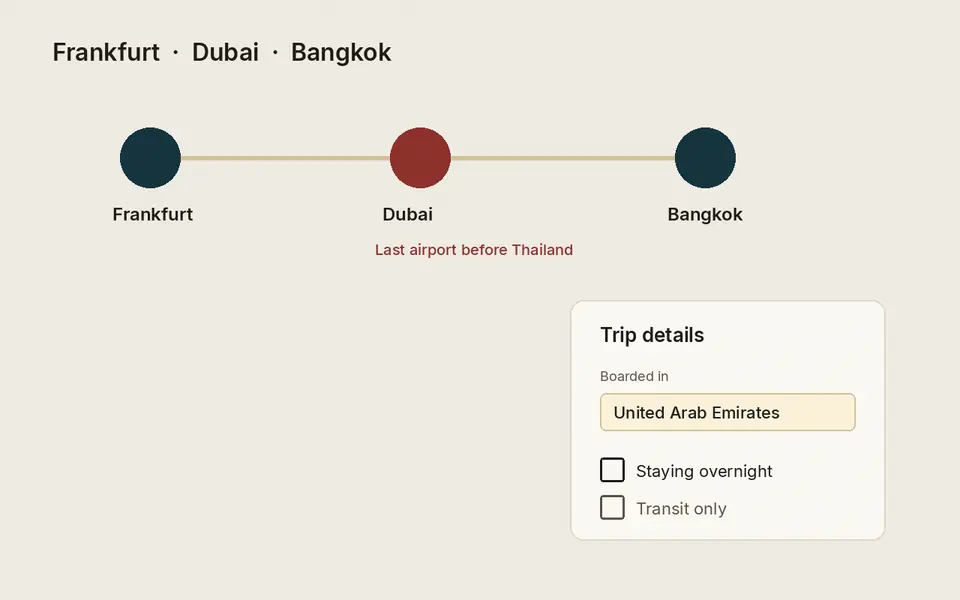
The second step, "Trip & Accommodation Information", starts with your arrival date, the country or territory where you boarded, and your purpose of travel. The boarding country is the place where you boarded the flight, ship or vehicle that brings you into Thailand, not where your trip began. If you fly from Frankfurt to Bangkok via Dubai, the correct entry is the United Arab Emirates, because your last flight departs from Dubai. On a direct flight from London, it is the United Kingdom.
The purpose of travel is chosen from a list. For a beach holiday, a city break or a visit to friends, the holiday option is appropriate. Business travellers, conference attendees and people travelling for medical treatment choose the corresponding entry. Pick the option that matches the visa or exemption you are entering on, because a mismatch between "business" in the TDAC and a purely touristic visa-free entry may lead to questions at the counter.
Next come the mode of travel (air, land or sea), the mode of transport, such as a commercial flight, and the flight or vehicle number. Enter the flight number exactly as on your ticket, for example "TG921" or "EK384", without spaces.
Do you have to fill in the departure information?
Departure information is marked as optional, and in most cases you can leave it empty if your return flight is not booked yet. If you do know it, entering the date and flight number does no harm. Do keep in mind that immigration officers can still ask for proof of onward or return travel, especially on visa-free entries. Our article on what airlines and border officers check explains what that means in practice, including the cash amount that may be requested.
There is one trap here. If you enter a departure date that is the same as your arrival date, the form treats you as a same-day traveller, and the accommodation section is greyed out. The form also offers two checkboxes for this situation: one for day trips and one stating "I am a transit passenger, I don't stay in Thailand." Tick either of them only if it is true. If you will spend a night in the country, leave both unticked and make sure your departure date is later than your arrival date. The official system now displays a warning when the two dates are only a day apart, so that you can review them before saving.
What should you write in the accommodation section if you are staying in several places?
Under "Accommodation Information", you first select the type of accommodation, such as a hotel, a hostel, a guest house, a friend's home or an apartment. Then you choose the province, district and sub-district from dropdown lists, after which the post code is usually filled in automatically. The last field is the street address.
You only need to provide your first accommodation, meaning the place you will stay on the night of arrival. Travellers on a round trip do not have to list every hotel. The address field now accepts up to 215 characters, which is enough for long Thai addresses with soi and moo numbers.
If you have not booked anything yet, it is still better to decide on a first night before you submit, because the field is required for anyone who is not in transit. A provisional booking you can cancel later is a common solution. If your plans change, the accommodation can be edited afterwards, which we will explain in a dedicated guide to editing or resubmitting a TDAC.
How does the TDAC health declaration work?
The third step is a short health declaration. Its main question asks you to list the countries or territories where you stayed during the two weeks before your arrival. Include the country you are travelling from and any country where you spent time on the way. A short airside connection is generally not regarded as a stay, but if you left the airport during a stopover, list the country.
What happens next depends on your answers. If one of these countries, your boarding country, your nationality or your flight appears on a list published by the Thai Ministry of Public Health, the system asks additional questions. In practice this mainly concerns yellow fever: travellers who have been in an affected country can be asked whether they hold a Yellow Fever Vaccination Certificate and when they were vaccinated. Uploading the certificate is optional in the form, but you should carry the original. In some cases the form also asks about symptoms during the past two weeks and may ask you to report to the Department of Disease Control counter before immigration. A planned article on the TDAC health declaration will cover the yellow fever rules in detail.
How do you check, submit and save your TDAC?
Once the health step is complete, the "Preview" screen shows everything you have entered. Read it slowly. The fields that cannot be changed later deserve particular attention: your full name, nationality and date of birth. If something is wrong, use "Edit" to go back.
If you are submitting for a family or group, this is the moment to add the next person with "Add Other Travelers". Up to ten travellers can be included in one submission, and you can copy the trip and accommodation details from the previous person using "Same as Previous Traveler". Our planned article on the TDAC for families and groups explains how this works with children.
Finally, enter the email address where the arrival card should be sent, accept the terms and conditions and click "Submit". You can download the confirmation immediately as a PDF, and the same document arrives by email. You do not need to print it, but saving the QR code on your phone, as a screenshot or in your files, is wise in case you have no signal on arrival. The system does not send reminders before your trip, and if the confirmation email never arrives, the FAQ advises speaking to the immigration officer at the checkpoint.
What are the most common mistakes when filling in the TDAC?
Most problems come from a handful of avoidable errors. The first is submitting too early, more than three days before arrival. The second is a mistyped passport number or name, usually because a scanned MRZ was not checked or because an old passport number was copied from a previous trip. The third is the greyed-out accommodation section, almost always caused by identical arrival and departure dates or a ticked transit box. The fourth is a boarding country that names the start of the journey instead of the last airport.
There is also a small inconsistency in the official material that is worth knowing about. The FAQ lists four details that cannot be updated after submission: full name, passport number, nationality and date of birth. The current user guide lists only three and no longer includes the passport number, and the system's release notes from May 2025 mention that editing the passport number was enabled. To be safe, treat the passport number as fixed: check it carefully, and if it is wrong, submit a new card.
What else should you prepare besides the TDAC?
The TDAC is only one part of a smooth arrival. Your passport must be valid for at least six months on entry, and visa-free visitors should be able to show onward travel and sufficient funds if asked. Travel insurance is not part of the form but is essential, and our travel insurance page explains the options, while a Thailand eSIM gives you data on landing to open your QR code. Our FAQ answers visa questions, and the main TDAC guide connects all the other topics in this series.
In short: fill in the form in one sitting, copy names exactly as in your passport, choose the country of your last flight as the boarding country and give the address of your first night.
All links in this guide
Hub – Thailand Digital Arrival Card (TDAC): /en/blog/thailand-digital-arrival-card
When to submit the TDAC (sibling, planned): /en/blog/tdac-when-to-submit
Editing or resubmitting a TDAC (sibling, planned): /en/blog/tdac-edit-or-resubmit
TDAC for families and groups (sibling, planned): /en/blog/tdac-families-and-groups
TDAC health declaration (sibling, planned): /en/blog/tdac-health-declaration
The 60-day rule no longer applies. What the Royal Gazette set out, how bookings already made are affected, and what options remain if you want to stay longer.
The 60-day visa exemption ended on 15 September 2026. What was still under discussion in April, what the Royal Gazette laid down, and how the TDAC and the tourist visa fit together today.